Chrome Extension
CS2 skin prices where you actually trade
A Chrome extension that overlays live prices from ten CS2 marketplaces — Skinport, CSFloat, Waxpeer and more — on the listing in front of you. Compare prices, ROI and Pro trading tools without switching tabs.
Free tier available · Pro from $14/month · Same account as cspriceapi.com
Supported sites
Works on 10 CS2 marketplaces








 more coming soon
In your browser
Data where you need it
Same overlay experience on listing grids, item pages and live listings — powered by CSPriceAPI.
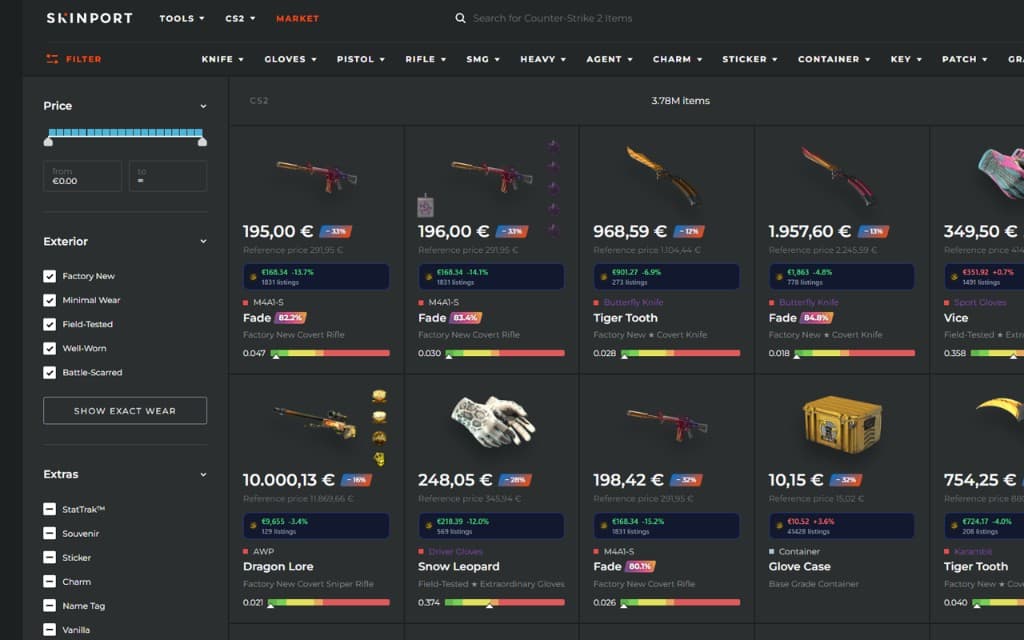
Listing grids
Compare prices without leaving the browse page
Pick your reference market in the popup — badges appear on every card with ROI vs. the listing price. Spot underpriced skins at a glance.
Item pages
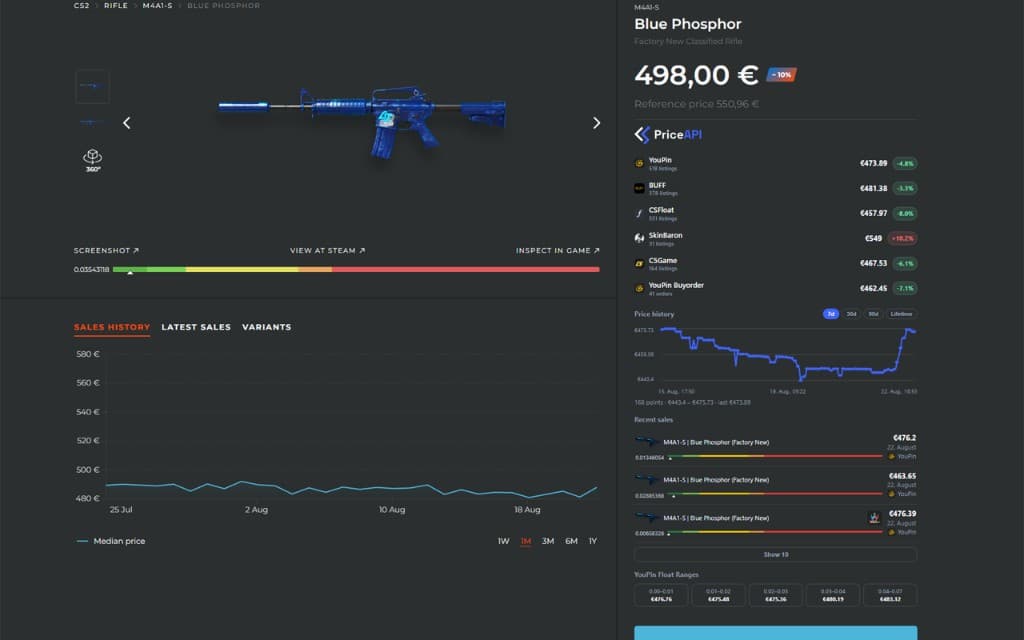
Full multi-market breakdown on one panel
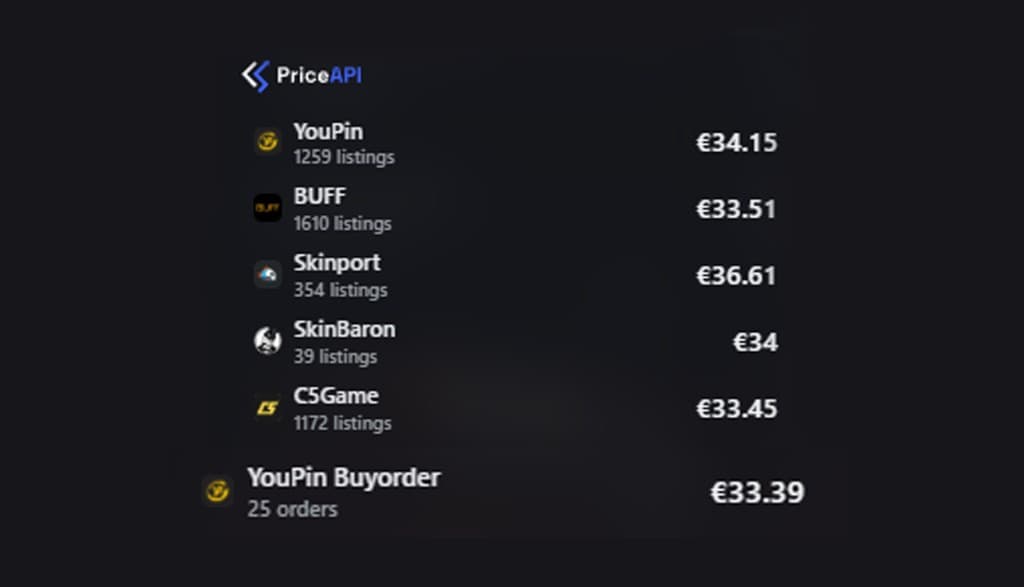
Open any item to see live quotes, buyorders, price history, recent sales and float-range pricing — all overlaid on the page you already use.
Auctions & listings
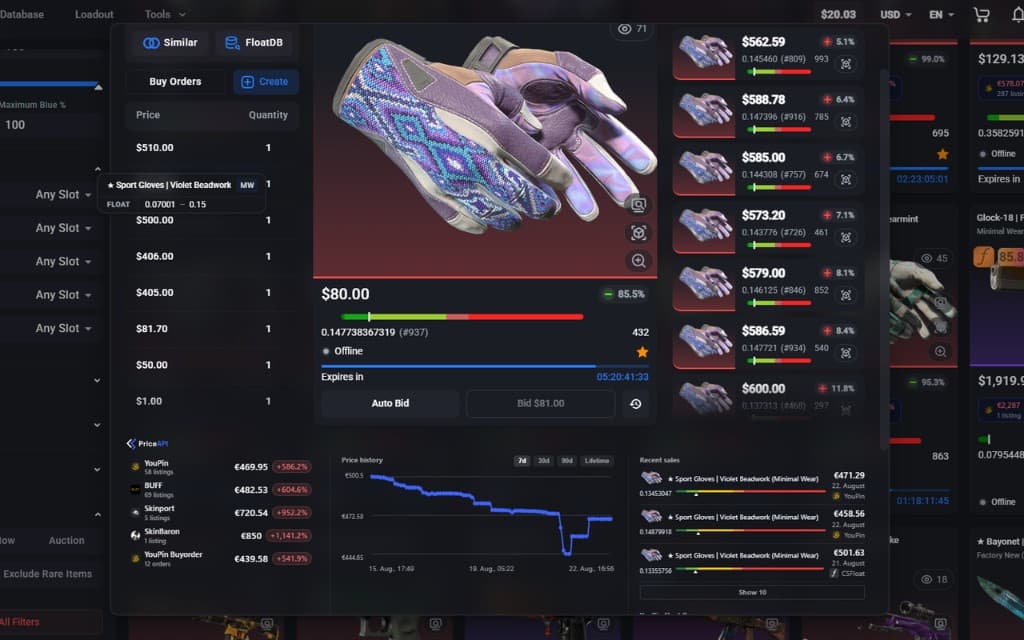
Works on search, stalls and item views
Whether you hunt deals on search results or inspect a single listing, CSPriceAPI injects the same comparison data right where you need it.
Multi-market overlay
Badge your preferred market on every listing. Open an item page for a full comparison table.
ROI at a glance
Spot arbitrage opportunities between the site you browse and upstream markets.
Pro trading tools
Buyorders, float ranges, history, scanner and alerts — built for serious traders.
Pricing
Pick the plan that fits
Start free, upgrade when you need live data and trading tools.
Free
$0
No account required
- Price badges on listing grids
- Basic ROI on item pages
- Currency conversion (EUR, USD, CNY, …)
- Cached snapshot prices without login
Pro
$14/mo
Billed monthly via Stripe
- Buyorder prices
- Price history charts
- Recent sales data
- Float ranged listings
- Data freshness ~5 min (vs 2h free)
- More markets covered
Yearly
Save ~2 months$140/yr
Same Pro features · billed yearly
- Buyorder prices
- Price history charts
- Recent sales data
- Float ranged listings
- Data freshness ~5 min (vs 2h free)
- More markets covered
Pro features
Everything serious traders need
How it works
Up and running in minutes
- 1
Install the extension
Click Add to Chrome on this page or in the Chrome Web Store. Free mode works immediately on supported marketplaces.
- 2
Sign in with your account
Use the same email and password as cspriceapi.com — one account for website and extension.
- 3
Upgrade when you need Pro
Unlock live data and trading tools. Manage billing anytime from your account page.
Get started
Ready to compare smarter?
Install free, then upgrade when you need live prices, buyorders and trading tools.
Independent tool — not affiliated with any marketplace or game publisher.
Per marketplace
How it works on each marketplace
The overlay adapts to how each site lays out its listings. Pick a marketplace to see what changes there, which plan covers it and the questions traders ask most.


FAQ
Frequently asked questions
Which marketplaces does the CSPriceAPI extension support?
+
Ten marketplaces. Skinport, CSFloat, Skinplace, LIS-SKINS, Shadowpay work on the free plan, while SkinBaron, DMarket, CS.Money, White.Market, Waxpeer are part of Pro. The overlay behaves the same everywhere: price badges on listing grids and a full comparison panel on item pages.
Is the extension free?
+
Yes. The free plan is permanent and needs no credit card: price badges on listing grids, basic ROI against the listing price, currency conversion and cached snapshot prices. Pro costs $14 per month or $140 per year and unlocks live data, buy orders, charts, alerts and the arbitrage scanner.
Do I need an account to use it?
+
Not for the free features — cached snapshot prices show up right after installing. You only sign in when you want Pro features, using the same cspriceapi.com account as the website.
How current are the prices?
+
On the free plan the overlay serves cached snapshots roughly two hours old. Pro refreshes live prices about every five minutes, which is what matters when you are pricing an item against a moving market.
Does it show Doppler and Gamma Doppler phase prices?
+
Yes, and each phase is priced separately rather than averaged into one number: Phase 1 to 4, Ruby, Sapphire, Black Pearl and Emerald. The extension reads the phase from the listing itself, so a Ruby is never compared against a Phase 2 price.
Does the extension work in Edge, Brave or Opera?
+
Yes. It runs in Chrome and every Chromium-based browser, including Edge, Brave, Opera and Vivaldi — install it from the Chrome Web Store in any of them. A Firefox build is not published yet.
Which currency does the overlay use?
+
It follows the marketplace you are on. If a site displays USD, the comparison prices are shown in USD too, so you never mix currencies while judging a deal. EUR, USD, CNY and other common currencies are supported.
What data does the extension read from marketplace pages?
+
Only what it needs to look up a comparison price: the item name, wear, float value, Doppler phase and the displayed listing price on pages you open yourself. It does not read your browsing history, Steam credentials or inventory, and nothing is sold to third parties.
What makes it different from other CS2 price extensions?
+
It runs on CSPriceAPI's own market data rather than scraping a single site, which is why it covers ten marketplaces, prices every Doppler phase individually, and can show YouPin buy orders — the number you actually sell at, not just the lowest ask.